系统之家一键重装系统 > 电脑故障百科 >
Win10使用anaconda的conda activate激活环境时报错的解决办法
- 作者:重装大师
- 时间:2021-11-27 15:30:37
Win10系统是现在大家都在使用的系统,最近有用户使用anaconda的conda activate激活环境时,遇到了报错的情况,这是什么原因呢?原因是之前激活了conda的环境没有用 conda deactivate 退出环境,但是问题是我使用conda deactivate会继续出现上述bug,下面小编为大家带来详细的解决方法,一起来看看吧!
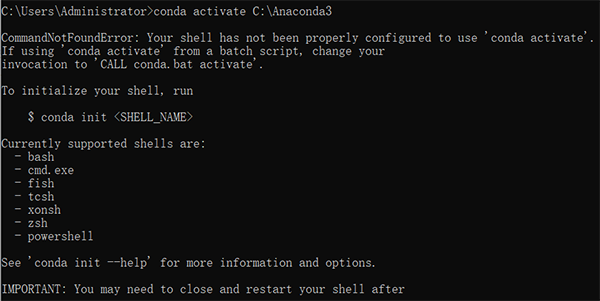
报错内容:
CommandNotFoundError: Your shell has not been properly configured to use ‘conda activate’。
If using ‘conda activate’ from a batch script, change your
invocation to ‘CALL conda.bat activate’。
To initialize your shell, run
$ conda init 《SHELL_NAME》
Currently supported shells are:
– bash
– cmd.exe
– fish
– tcsh
– xonsh
– zsh
– powershell
See ‘conda init --help’ for more information and options.
IMPORTANT: You may need to close and restart your shell after running ‘conda init’。
解决办法:
1、打开CMD,先输入activate,回车。
2、然后再conda activate xxx ,回车 。